
Shopify is one of the platforms we regularly recommend for starting an ecommerce business, especially if you are getting into print on demand.
It is easy to set up, reliable, and works with major print-on-demand companies such as Printify and Printful.
But that doesn’t mean Shopify is the right choice for everyone.
One of the biggest considerations is cost.
Shopify’s Basic plan currently starts at $29 per month when billed annually or $39 when paying monthly. That is reasonable for a complete ecommerce platform, but the monthly cost can start climbing when you begin adding premium themes, product customization tools, review apps, email marketing, upsells, bundles, SEO tools, and other extensions.
For a print-on-demand side hustle that is still trying to become profitable, every recurring expense matters.
Fortunately, Shopify isn’t your only option.
If you want to build your own print-on-demand store and connect it to companies like Printify or Printful, there are several alternatives worth considering.
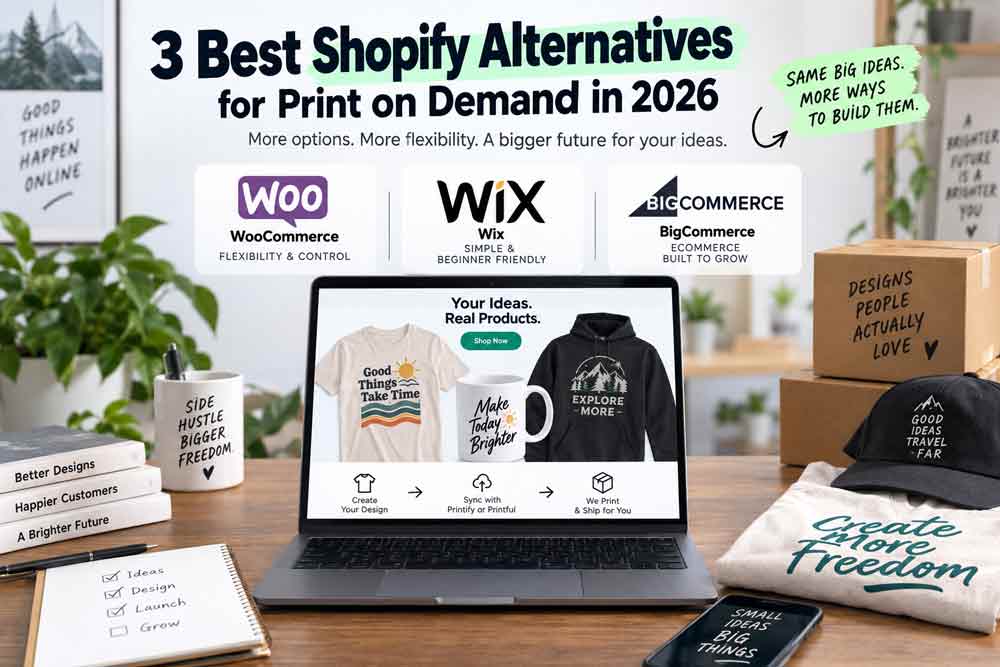
Here are three of our favorite Shopify alternatives for print-on-demand sellers in 2026.
Quick Comparison
| Platform | Best For | Printify | Printful | Difficulty |
|---|---|---|---|---|
| WooCommerce | Control and customization | Yes | Yes | Moderate |
| Wix | Beginners and simplicity | Yes | Yes | Easy |
| BigCommerce | Ecommerce-focused growing stores | Yes | Yes | Moderate |
Printify currently lists WooCommerce, Wix, and BigCommerce among its supported ecommerce integrations. Printful also supports these platforms through its ecommerce integrations.
The right choice ultimately depends on how much control you want, how comfortable you are managing your website, and how you expect your business to grow.
Let’s look at each one.
1. WooCommerce
Best Shopify Alternative for Flexibility and Control
If you already use WordPress—or you’re comfortable learning it—WooCommerce is probably the first Shopify alternative we would look at.
WooCommerce is a free, open-source ecommerce platform for WordPress.
Unlike Shopify, there isn’t a required monthly subscription for the WooCommerce software itself. WooCommerce says its core platform is free and does not charge a platform fee or take a percentage of your revenue.
That doesn’t mean running a WooCommerce store is free.
You’ll still need things like:
- Web hosting
- A domain
- Payment processing
- Possibly a premium theme
- Plugins or extensions
- Security and backups
However, you have much more control over which services you pay for.
For side hustlers, that can be a major advantage.
WooCommerce and Print on Demand
WooCommerce works well with both Printify and Printful.
Printify’s WooCommerce integration allows you to create products in Printify, publish them to your store, and automatically send orders through for fulfillment.
Printful also supports WooCommerce and allows you to publish and synchronize products between the two platforms.
For most print-on-demand sellers, the basic workflow is straightforward:
Create your design → Publish your product → Customer places an order → POD provider fulfills the order.
That’s essentially the same workflow many sellers are already familiar with on Shopify.
Why We Like WooCommerce
The biggest advantage is control.
WooCommerce is built on WordPress, which means there are thousands of themes, plugins, and customization options available.
You can choose:
- Your web host
- Your payment processor
- Your theme
- Your email marketing platform
- Your SEO tools
- Your analytics tools
- Your security tools
- Your backup solution
- Your checkout extensions
You aren’t locked into one company’s ecosystem.
That can also help you control recurring expenses because you can decide which features you actually need instead of upgrading your entire platform just to gain access to one capability.
The Downside
The downside is that WooCommerce requires more work.
With Shopify, Wix, or BigCommerce, much of the technical infrastructure is handled for you.
With WooCommerce, you may have to deal with:
- WordPress updates
- Plugin updates
- Backups
- Website security
- Hosting performance
- Plugin conflicts
- Troubleshooting
WooCommerce’s own documentation points out that hosting, infrastructure, security, extensions, and maintenance all factor into your total cost.
Using a good managed WordPress host can remove some of that work, but WooCommerce is still more hands-on than a fully hosted ecommerce platform.
Who Should Consider WooCommerce?
WooCommerce makes the most sense if:
- You already use WordPress
- You want maximum control over your website
- You are comfortable installing plugins
- You want to choose your own hosting provider
- You want more control over your recurring expenses
- You may eventually want advanced customization
For technically comfortable side hustlers, WooCommerce is probably our favorite Shopify alternative.
2. Wix
Best Shopify Alternative for Beginners
What if WooCommerce sounds like too much work?
That’s where Wix comes in.
Wix is an all-in-one website builder that includes hosting, templates, ecommerce functionality, and a visual website editor.
You don’t have to install WordPress, manage hosting, or worry about updating plugins just to keep your store running.
That can make Wix a good fit for someone launching their first print-on-demand business.
Wix and Print on Demand
Both Printify and Printful support Wix.
Printify allows you to connect a Wix store directly to your Printify account. You can then publish products to Wix and use Printify to handle fulfillment.
Printful works similarly. Once your Wix store is connected, orders can automatically be sent to Printful for fulfillment, packing, and shipping.
You will need a Wix plan that allows you to accept payments before you can actually start selling.
Why We Like Wix
Wix’s biggest advantage is simplicity.
You get a visual website builder without having to worry about many of the technical tasks that come with WordPress.
That makes it appealing if your goal is simply:
Build a website → Add your products → Start selling.
For someone launching a small print-on-demand brand with a manageable number of products, Wix can be more than enough.
It can also be a good option for businesses where the website contains more than just a store.
For example, maybe your website includes:
- A blog
- About pages
- Videos
- Tutorials
- Product collections
- Landing pages
- An email signup
Wix can handle all of that without requiring much technical knowledge.
The Downside
The simplicity does come with some trade-offs.
You’re not going to get the same level of control you get with WooCommerce.
And while Wix has continued to improve its ecommerce tools, it isn’t as ecommerce-focused as Shopify or BigCommerce.
There are also differences between integrations that are worth understanding.
For example, Printify currently notes that if you edit a Wix order after it has already been imported into Printify, those changes will not automatically sync to the Printify order.
That’s not necessarily a deal-breaker, but it’s a good example of why you should test your complete workflow before launching a store.
Who Should Consider Wix?
Wix makes sense if:
- You’re building your first online store
- You want something easy to use
- You don’t want to manage WordPress
- You want hosting included
- You’re primarily selling POD products
- You have a relatively straightforward ecommerce business
If ease of use is your top priority, Wix may be the easiest Shopify alternative on this list.
3. BigCommerce
Best Shopify Alternative for Ecommerce-Focused Sellers
BigCommerce is probably the closest alternative on this list to Shopify in terms of its overall purpose.
Unlike Wix, which started primarily as a website builder, BigCommerce is designed specifically around ecommerce.
That makes it worth considering if you’re looking at Shopify and thinking:
“I like the idea of an all-in-one ecommerce platform, but I want to compare my options before committing.”
BigCommerce and Print on Demand
BigCommerce integrates directly with both Printify and Printful.
Printify allows you to connect your BigCommerce store, publish products, synchronize orders, and send those orders through for fulfillment.
Printful supports all BigCommerce plans, and orders can automatically flow from BigCommerce into Printful for fulfillment.
That makes BigCommerce a legitimate option for building a dedicated POD storefront.
Printify does currently note one limitation: its BigCommerce integration does not support BigCommerce multi-storefront connections. Most smaller POD sellers probably won’t run into that issue, but it is worth knowing if you plan to operate multiple storefronts.
Why We Like BigCommerce
BigCommerce is interesting because ecommerce isn’t an add-on to the platform.
It’s the point of the platform.
You get features designed specifically around selling products online, including:
- Product management
- Inventory tools
- Payment integrations
- Promotions
- Shipping functionality
- Marketplace integrations
- Analytics
- Multi-channel selling
That makes it potentially attractive if you expect your POD side hustle to eventually become a larger ecommerce business.
It can also reduce your dependence on third-party apps if some of the features you need are already included in the platform.
And that brings us back to one of the reasons we’re considering alternatives to Shopify in the first place.
The advertised monthly subscription isn’t always your real monthly cost.
The better question is:
What will this store cost after I add everything I actually need?
BigCommerce Pricing
BigCommerce updated its pricing structure in June 2026.
Its current self-service plans include:
Plan Annual Billing Monthly Billing Core $29/mo $39/mo Growth $79/mo $105/mo Scale $299/mo $399/mo
The Core plan applies up to $30,000 in trailing-12-month GMV before moving into Growth. Growth applies up to $100,000 before moving into Scale. BigCommerce also has specific fees tied to some outside payment providers, while qualifying Embedded Payment Providers don’t incur those additional BigCommerce fees.
And this is an important point:
BigCommerce isn’t automatically cheaper than Shopify.
In fact, their entry-level annual pricing is currently very similar.
Shopify Basic starts at $29 per month when billed annually, and BigCommerce Core also starts at $29 per month when billed annually.
That’s why we wouldn’t position BigCommerce as the “cheap Shopify alternative.”
Instead, think of it as another ecommerce-first platform worth comparing based on the features you actually need.
The Downside
BigCommerce can be overkill for someone who simply wants to sell 15 or 20 POD designs.
If you’re launching a very small side hustle, Wix might feel easier.
WooCommerce could potentially give you more flexibility.
And Shopify may simply have the workflow or app ecosystem you prefer.
BigCommerce also uses sales thresholds for some of its plans, so a growing store needs to pay attention to how those thresholds could affect future costs.
Who Should Consider BigCommerce?
BigCommerce makes sense if:
- You want a platform built specifically for ecommerce
- You don’t want to manage WordPress
- You expect your store to grow
- You plan to sell through multiple channels
- You want to compare Shopify against another dedicated ecommerce platform
- You use Printify or Printful for fulfillment
If you’re serious about building a larger ecommerce operation, BigCommerce deserves to be on the shortlist alongside Shopify.
Shopify vs. WooCommerce vs. Wix vs. BigCommerce
So does this mean you should leave Shopify?
Absolutely not.
Shopify is popular with print-on-demand sellers for a reason.
It is straightforward to use, its ecommerce tools are mature, and POD providers such as Printify and Printful integrate with it.
Shopify’s Basic plan currently includes an online store, unlimited products, social and marketplace selling, themes, inventory management, and other ecommerce functionality.
The potential issue is what happens after you start customizing.
You may eventually add tools for:
- Product reviews
- Email marketing
- Product personalization
- Bundles
- Upsells
- SEO
- Backups
- Loyalty programs
- Advanced reporting
- Landing pages
A $29 monthly platform can gradually become a much larger monthly expense.
But the same thing can happen on other platforms.
WooCommerce plugins cost money.
Wix has paid apps and higher-tier plans.
BigCommerce has plan thresholds and optional apps.
So rather than asking:
“Which platform is cheapest?”
Ask:
“What is my total cost to get the features I actually need?”
That’s a much better way to compare ecommerce platforms.
Which Shopify Alternative Should You Choose?
Here’s how we would break it down.
Choose WooCommerce if you want maximum control.
WooCommerce gives you the most flexibility.
If you’re comfortable with WordPress and want control over hosting, plugins, payments, and customization, it should probably be the first Shopify alternative you investigate.
Choose Wix if you want simplicity.
If you’re launching your first POD store and don’t want to deal with WordPress, servers, or technical maintenance, Wix makes the process relatively straightforward.
It is especially attractive for smaller stores and side hustlers who just want to get online quickly.
Choose BigCommerce if ecommerce is the priority.
If you’re comparing dedicated ecommerce platforms and expect your store to grow, BigCommerce deserves serious consideration.
It’s probably the closest direct competitor to Shopify among our three alternatives.
Don’t Choose Based on Price Alone
There’s another mistake we see new ecommerce sellers make:
Choosing a platform because one monthly price looks cheaper than another.
Your monthly subscription is only one expense.
When comparing platforms, consider:
- Platform subscription
- Hosting
- Payment processing
- Transaction fees
- Themes
- Apps and plugins
- Email marketing
- Product customization
- Backups
- Analytics
- SEO tools
- Security
- Developer costs
A $29 platform with $70 worth of monthly apps may actually cost more than a $50 or $60 setup that already includes the features you need.
And sometimes the more expensive option saves enough time to justify the extra money.
Your time has value too.
Our Pick for Most POD Side Hustlers
If we were starting a print-on-demand side hustle today, we would narrow the decision down like this:
Already comfortable with WordPress? Start with WooCommerce.
Want the easiest setup possible? Take a look at Wix.
Planning to build a more serious ecommerce operation? Compare BigCommerce with Shopify.
And if you’re already using Shopify and it’s working well?
There may be no reason to change at all.
Moving an established ecommerce site can involve migrating products, customers, URLs, analytics, payment settings, marketing integrations, and other information.
Saving a few dollars per month may not justify the hassle.
Final Thoughts
The good news for print-on-demand sellers is that we have more choices than ever.
Shopify isn’t your only option.
WooCommerce, Wix, and BigCommerce all support print-on-demand workflows and can connect with platforms such as Printify and Printful.
The key is finding the platform that fits your business.
If you’re just starting, don’t spend weeks trying to find the perfect ecommerce platform.
Figure out which features you actually need.
Estimate the real monthly cost.
Make sure your POD provider integrates properly.
Then start building.
Your ecommerce platform matters, but it isn’t what will ultimately make your print-on-demand business successful.
Your niche, designs, pricing, marketing, customer experience, and ability to consistently attract buyers will matter much more.
What platform are you using for your print-on-demand business? Shopify, WooCommerce, Wix, BigCommerce, or something else? Let us know what has worked for you.